Custom domains and HTTPS
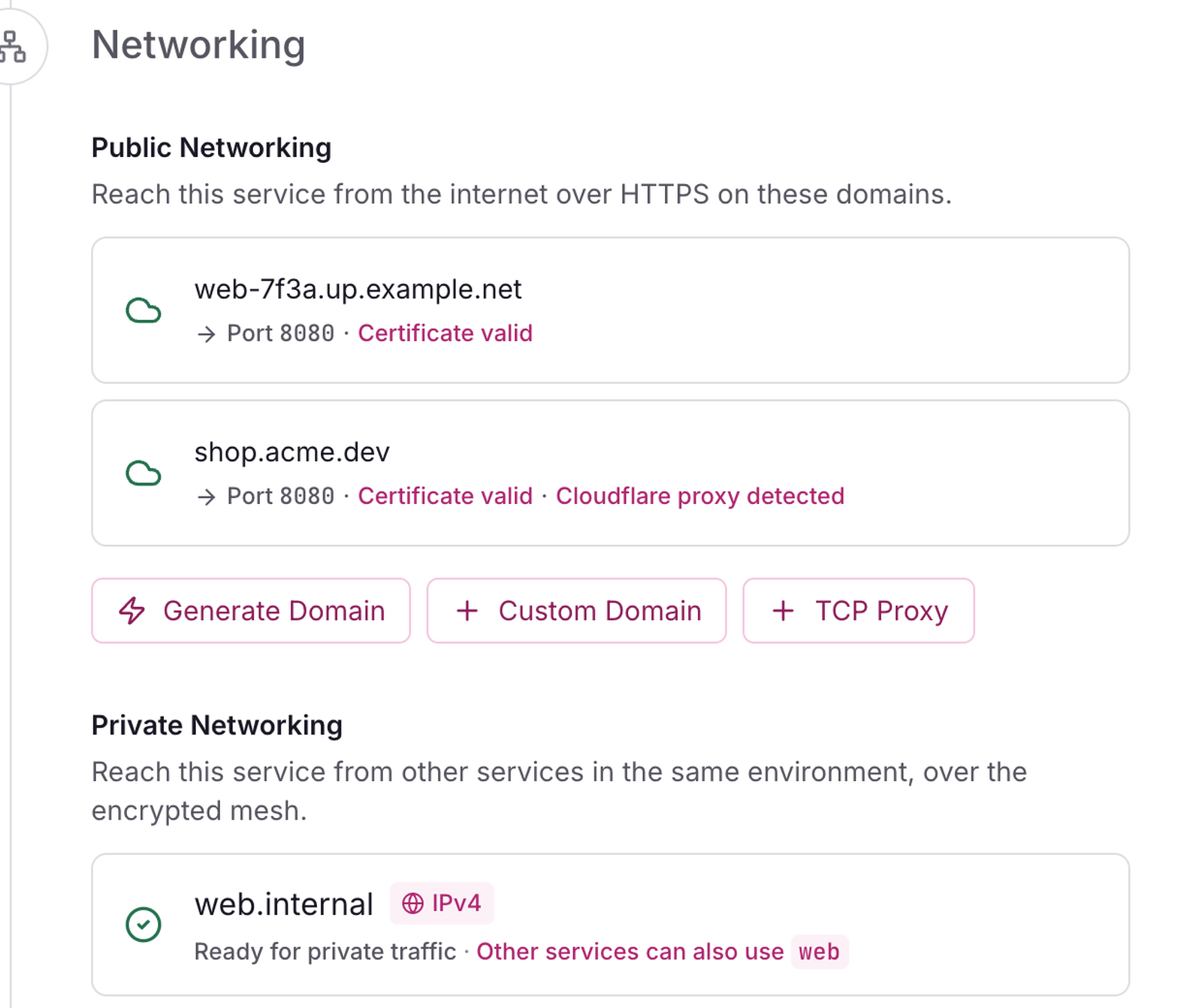
Give a service a generated HTTPS name with no DNS setup, or put it on your own domain with a Let's Encrypt certificate issued and renewed for you.
Generated domains
- On the canvas, open the service, then Settings, Networking.
- Under Public domains, select Generate Domain. Or run
openrail domainin a linked folder.
The name looks like web-k3x9.203-0-113-10.sslip.io, or web-k3x9.apps.example.com when the install has its own base domain. It works at once with a valid certificate.
Add your own domain
- In the service's Settings, Networking, select Custom Domain.
- Type the Domain, for example
shop.example.com, and check Port the app listens on. It defaults to the service's target port, else the only port it listens on, else 8080. - Select Add. Removing the domain later also deletes its stored certificate.
From the CLI, in a linked folder:
openrail domain shop.example.com --port 3000The console shows the DNS records to create, each with a copy button, and the CLI prints them.
Create the DNS record
At your DNS provider, create one of these for each name. For a host at 203.0.113.10 whose service has the generated name web-k3x9.203-0-113-10.sslip.io:
| Name you add | Type | Host field at most DNS providers | Value |
|---|---|---|---|
example.com (the apex) | A | @ | 203.0.113.10 |
shop.example.com | A | shop | 203.0.113.10 |
www.example.com | CNAME | www | web-k3x9.203-0-113-10.sslip.io |
- An A record works for any name, the apex included.
- A CNAME works for subdomains. At the apex, most DNS providers refuse a CNAME; use the A record, or the provider's ALIAS or CNAME flattening if it has one.
- The console shows the part most DNS panels want in Host (
shop, or@for the apex); the full name is in the tooltip. - With two ingress hosts, create one A record per ingress host's IP. The console lists one A record for each.
- At the apex the console adds a note to the CNAME: use it only where your provider supports CNAME flattening or an ALIAS record.
wwwand the apex are two domains: add each one to the service.- Remove any AAAA record on the name that points somewhere else. Let's Encrypt checks over IPv6 first when an AAAA record exists, and openrail is IPv4 only. The console tells you when it finds one.
Check the record from your laptop before you wait on the console:
dig +short shop.example.com @1.1.1.1It must print your host's IP (for an A record) or the generated name and then the IP (for a CNAME).
Watch the status
The domain's status moves through:
- Waiting for DNS. openrail checks the name through public resolvers (1.1.1.1, then 8.8.8.8) every 30 seconds for the first 10 minutes, then every 10 minutes. Select Check to check now. No certificate is requested yet, so a name added before its record exists costs nothing.
- Issuing certificate. DNS points at your host; Let's Encrypt is validating it over port 80.
- Error. The certificate could not be issued. The console shows the reason the certificate authority gave, in red.
- Active. The console shows "Certificate valid until" a date. Certificates renew on their own about a month before they expire.
From the CLI:
openrail domain status shop.example.com
openrail domain list
openrail domain shop.example.com --wait--wait follows the domain until it is active or its certificate fails, for up to 5 minutes.
When the certificate does not come
If a domain is still on Issuing certificate after five minutes:
- Read the message under the domain. It is the reason the certificate authority gave.
- Check the record with
digas above, and remove any stray AAAA record. - Check that port 80 on the ingress host is open to the internet:
curl -I http://shop.example.comfrom your laptop should answer, not time out. See Firewall. - Look for a CAA record on your domain (
dig +short CAA example.com). If there is one, it must allowletsencrypt.org. - Behind Cloudflare, read Cloudflare in front: the SSL mode must be Full (strict) and Always Use HTTPS must let the challenge through.
- Then select Retry certificate, or run:
openrail domain certificate retry shop.example.comRetry certificate is hidden while the domain waits for DNS, because a retry then would only fail again.
Change the port or remove a domain
- Port: edit it in the domain's row, or run
openrail domain update shop.example.com --port 8080. - Remove: select Delete, or run
openrail domain delete shop.example.com. The name stops being served within seconds.
What is not supported
The full list for this release is on Honest limits.
- Wildcard custom domains (
*.example.com) are refused: "Not in v0.1: wildcard domains. Add each name instead." For generated names under your own domain, install with--domainand a wildcard A record. See Your domains. - IPv6 (AAAA records to your host).
- Your console's own address and names under your base domain: the console refuses them, so a service can never take over the console. IP addresses are refused too.
What success looks like
- The domain shows Active and "Certificate valid until" a date about 90 days away.
curl -I https://shop.example.comreturns your app's response with no certificate warning.openrail domain listlists the domain as active.
Next steps
- Your domains: the console and generated names on your domain.
- Cloudflare in front
- Firewall
- Private networking